
Create a window manufacturing BOM by checking the approved design, listing each part and quantity, and verifying that the cut list matches the configured unit.
A production batch groups the work scheduled for the shop. To evaluate manufacturing software, follow one configured order through the BOM, cut list and batch.
What should a window manufacturing BOM include?
For a made-to-order casement window, check for the selected frame and sash profiles, glazing specification, hardware and seals, along with their quantities. Use your own product series and rules during the evaluation. The same opening size can require different components when you change the glazing, handing or hardware.
How does a configured order reach the shop floor?
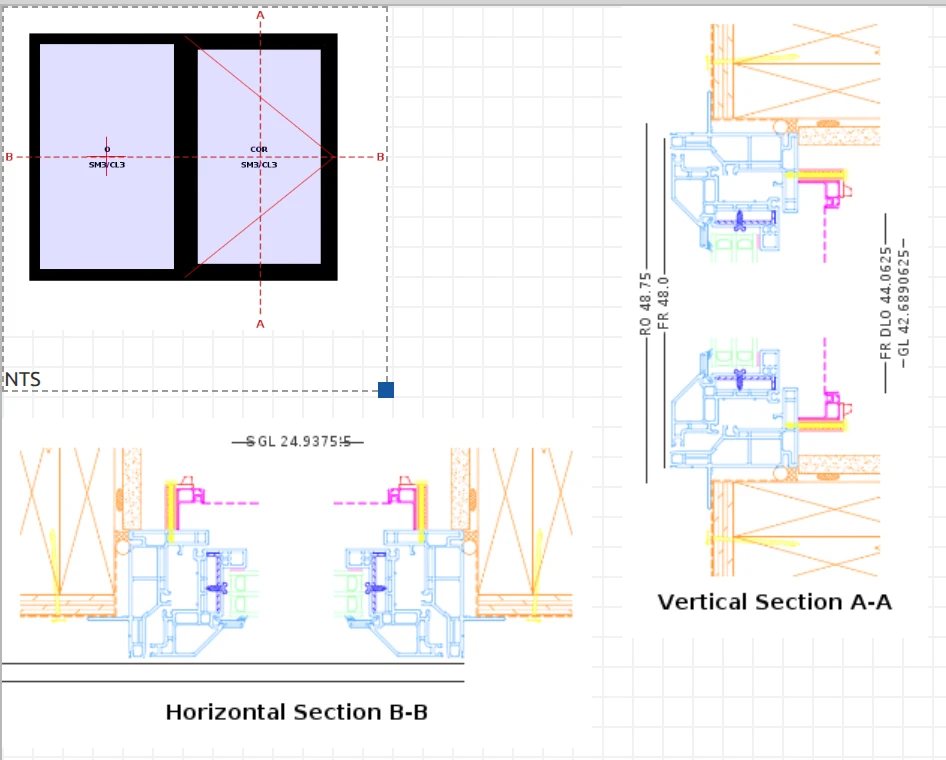
- Configure a casement window. Enter dimensions, select a product series, and specify the glazing and handing. Ask to see the drawing and check that the quote reflects the same selections.
- Review the material requirements. Follow the approved specification into the order. Check that the listed profiles, glass and hardware belong to the configuration the customer approved.
- Review the cut list. Compare the shop output with the BOM. For example, identify the profile pieces that need cutting and check their lengths against the approved design and the rules for that series.
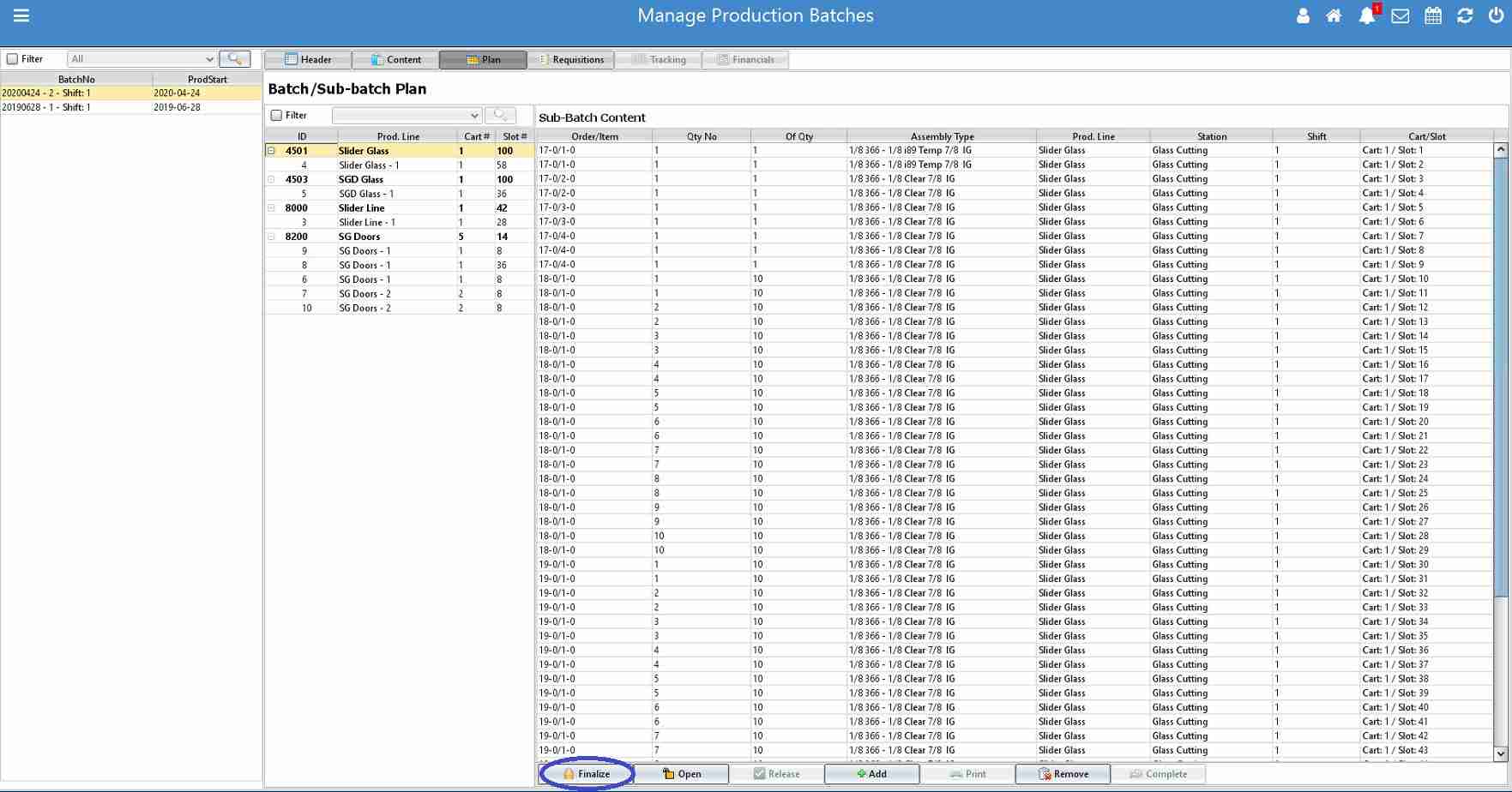
- Assign the work to production. See where the unit appears in the batch and which station it goes to first. If your shop uses machines or barcode tracking, ask to see the output for your workstation and equipment.
This casement is an illustrative evaluation example. Use one of your own product series in a demo to review actual parts, quantities and machine output.
What changes when an order is revised?
Change one option, such as the opening direction. Compare the drawing, hardware requirements and shop instructions before and after the change. Ask how your team would identify the current specification if the original order was already scheduled or released.
What is the difference between a BOM, a cut list and a production batch?
A window and door bill of materials is a record of what the unit requires. A cut list is a work instruction for the pieces a station needs to cut. A production batch is the group of units or operations the floor plans to build together. Keeping the three outputs separate helps each team answer its own question. Purchasing needs to know which parts to source. The saw operator needs the cutting instructions. The production planner needs to know how much work is assigned and when it can run.
For example, a BOM for a casement may list profile families, fittings and a glazing unit. A cut list for the profile station focuses on pieces to be cut and their approved cut dimensions. Small hardware can appear on the BOM without requiring a profile cut. Meanwhile, the batch may include that casement and other units routed to the same line. A change to the batch sequence can affect when a unit is built even if its materials remain identical.
What fields should production review before releasing a window?
Start with a link back to the order and the configured item. The team needs to know which unit the output represents, especially when several windows on the same project have similar dimensions. Check the selected series, opening direction, finish and glass specification against the approved drawing. Keep units of measure visible so that a profile length, a package quantity and an item count cannot be mistaken for one another.
For each component, look for the part or stock code, description and quantity the relevant team needs. Review the quantities both per unit and for the order line. For example, if the approved hardware schedule calls for one handle on each of three identical units, the order line should account for three handles. This is an illustrative quantity check. Your product rules and approved hardware schedule determine the actual components.
For cut pieces, check the material or profile reference, the cut dimension and any station-specific information the operator or machine needs. An opening dimension identifies the unit size. A cut dimension identifies a piece of material. Confirm the output against a sample that engineering has approved for the exact series, since a similar-looking frame may use different profiles or fabrication instructions.
How should you validate a sample window BOM and cut list?
Choose a familiar window with an approved manufacturing record and compare it with a fresh test output. Begin with the customer-facing drawing and order item. Check the material list for the correct profiles, glass and hardware, then check the station output independently. Ask the operator to explain which values they use to identify and cut the pieces. If the template leaves room for interpretation, correct the setup before the test output becomes routine shop paperwork.
Repeat the check with a controlled change, such as a different finish or revised glass selection. Compare the outputs and note which material lines or instructions changed. If something changes outside the scope of the revision, trace it back to the product and routing rules. If an expected change fails to appear, pause the release until someone resolves the discrepancy. The OpenJanela setup test describes how to verify materials, scheduling and shop paperwork together.
Why might the cut list be missing at a production station?
First check whether the station is on the route for that product series. Then confirm that the configured output belongs to that station and that the station has the required reports or saw setup. OpenJanela documents a specific case for optimized saw stations. If an optimized station has no corresponding saw configuration, the optimized cut list can fail to build. The relevant checks differ from the checks you would do for a missing part or an incorrect option on the BOM.
When equipment consumes a machine file, test the supported interface with the exact model and expected file format. Compare a sample file with the operator’s normal input and confirm which system owns each step. Use the OpenJanela CNC interface overview to prepare questions about a particular saw, machining center or glass line.
Who should sign off before a new product series goes live?
Ask one person from product engineering to check the configured specification, one person from purchasing or inventory to review part codes and quantities, and a production lead to review the instructions at each relevant station. Have the same reviewers look at a standard unit and a variant with a meaningful option change. Record the order and item used for the test so someone can reproduce the review if the product rules or equipment change later.
If the order is still at the quoting stage, start with the custom window and door quoting workflow. A clean production handoff begins with an agreed unit specification and a clear record of the customer’s selection.
A quick checklist for creating a window BOM
Check the unit, then check the order
- Tie the BOM to the approved order item and drawing.
- Check the series, finish, glass and hardware against the configured unit.
- Verify the quantity per window, then calculate the quantity needed for the entire order line.
- Compare the cut pieces and dimensions with the approved output for the series.
What should you bring to a production software demo?
Bring a sample order, a BOM or material list, a cut list and the model of any equipment you want to connect. If you plan several lines, bring one example of a constraint such as limited glazing capacity. OpenJanela’s production line and station setup guide describes station capacity, bottlenecks and optimized saw stations.
Explore OpenJanela window and door manufacturing software and its CNC and barcode tracking workflow. In the demo, review a configured order, material requirements and cut lists using your product rules.